If your iHome mirror isn’t powering on or holding a charge, you’re not alone. Many users struggle with understanding how to properly charge their iHome smart mirrors, especially when the device blinks, fails to turn on, or won’t stay lit even when plugged in. The good news is that all iHome smart mirrors charge via USB using a built-in rechargeable lithium-ion battery. Whether you own the Hollywood Pro, REFLECT, or ICVBT7SN model, this guide delivers clear, actionable steps to charge correctly, avoid common mistakes, and extend your mirror’s lifespan.
You’ll learn where the charging port is located, what cable to use, how to interpret blinking indicator lights, and what to do if charging fails. Let’s get your mirror powered and working reliably.
Locate the Charging Port

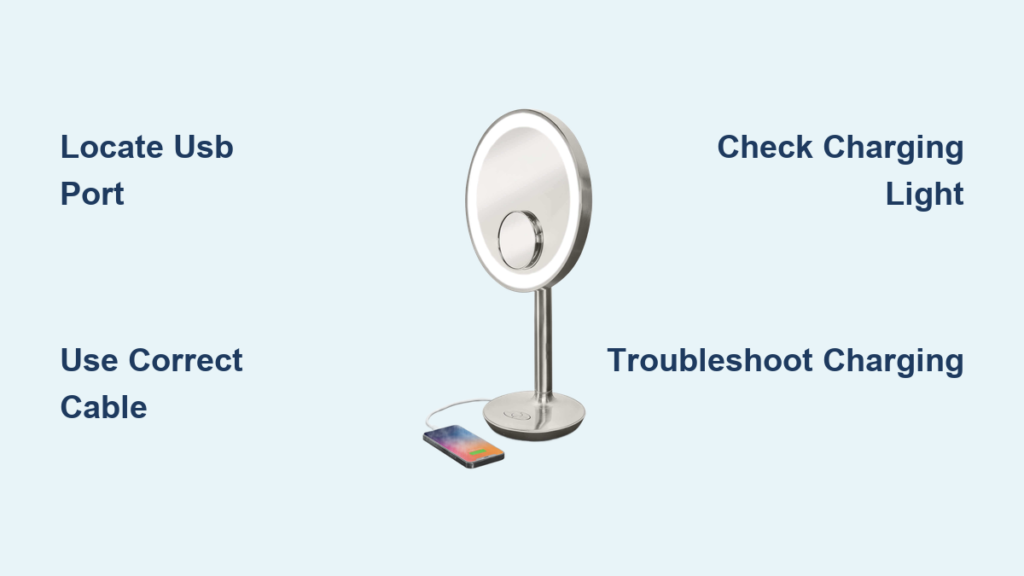
Every iHome mirror with battery functionality includes a USB charging port, typically located on the base or rear of the unit near the power input. Depending on your model, it may be a micro-USB or USB-C port. Check carefully because some ports are small and recessed.
Find the USB Input on Your Model
Look for a tiny port labeled with a USB icon or next to a power symbol. Some models come with a short cable permanently attached to the mirror that ends in a USB plug designed to connect to a wall adapter or computer. Avoid confusing the charging port with a USB output port, which is used to charge other devices.
Don’t Confuse Input and Output Ports
Some models like the iHome Hollywood Pro Vanity Mirror include dual USB functionality. The USB input charges the mirror’s internal battery, while the USB output delivers 12W of power to charge smartphones, tablets, or earbuds while the mirror is plugged in. The output port only works when the mirror is connected to power and does not drain the mirror’s battery.
Use the Right Charging Cable
:max_bytes(150000):strip_icc()/USB-C-vs-Micro-USB-35ad02cfa2db4f389e1abc269ec44e0c.jpg)
Not all iHome mirrors use the same cable type. Older models like the ICVBT7SN use micro-USB, while newer models use USB-C. If your mirror didn’t come with a cable, use a standard micro-USB or USB-C cable that supports data and power delivery.
Check Your Model’s USB Type
Avoid cheap, low-quality cables that may charge slowly or not at all. Check your product documentation or examine the port on your mirror to confirm whether you need micro-USB or USB-C.
Avoid Fast Chargers Unless Specified
Use a 5V/1A or 5V/2.4A USB wall adapter, the kind that comes with most smartphones. While lithium-ion batteries are generally safe, avoid high-voltage fast chargers like 9V or 15W+ unless your model explicitly supports them. Overvoltage can degrade battery life over time.
Connect to a Working Power Source
Plug the USB cable into a wall adapter, computer USB port, or power bank for travel use. Ensure the power source is active by testing it with another device if the mirror isn’t responding.
Choose a Reliable Power Adapter
The recommended power source is a wall adapter. A computer USB port works but may charge more slowly. A power bank is ideal for travel situations.
Can You Use the Mirror While Charging
Yes. iHome mirrors are designed to operate while charging. When plugged in, LED lights stay on, Bluetooth speaker functions, and the USB output port charges other devices. The mirror draws power from the adapter while simultaneously charging the internal battery. You don’t need to wait for a full charge to use the mirror.
Check Charging Indicator Lights
Many users report a blinking LED when first plugging in their iHome mirror. This is typically normal behavior, indicating the battery is charging.
Blinking Light: Is It Normal
A blinking light means charging is in progress. A steady or off light typically means fully charged, though this varies by model. A verified buyer on Best Buy asked why the light was blinking, and other users confirmed it’s standard during charging.
How Long to Charge
While iHome doesn’t publish exact charge times, most models with a 19.24Wh lithium-ion battery take 2 to 3 hours to fully charge with a 5V/1A adapter. Charge for at least 3 hours before unplugging for the first time to ensure maximum runtime.
Troubleshoot Charging Problems
Mirror Won’t Turn On When Unplugged
The likely cause is a dead or degraded battery. Fix this by charging for 3+ hours using a known working cable and adapter. Try a different power source. If still unresponsive, contact iHome support.
Light Blinks Continuously
If the LED keeps blinking after 4+ hours, try a different USB cable and test with another wall adapter. Clean the charging port with compressed air. Persistent blinking may indicate a hardware fault.
USB Output Port Not Working
If the mirror won’t charge your phone, ensure the mirror is plugged into power. Test with a different device. Restart the mirror by unplugging for 30 seconds and then reconnecting. Remember, the USB output only works when the mirror is powered, not on battery alone.
Mirror Doesn’t Hold a Charge
Possible issues include battery degradation after 12 to 18 months, overcharging or deep discharging, or a manufacturing defect. Since the battery is not user-replaceable, contact iHome support for repair or discounted replacement.
Optimize Battery Life and Charging
Lithium-ion batteries degrade over time. Maximize lifespan with these habits.
Prevent Battery Degradation
Avoid full discharges by recharging when performance drops rather than waiting for the mirror to die completely. Unplug when fully charged, even though it’s safe to leave plugged in. Charge every few weeks to let the battery cycle, even if used mostly plugged in. For long-term storage, charge to 50% and keep in a cool, dry place.
Clean the Charging Port
Dust, makeup, or debris can block the port. Unplug the mirror first. Use a dry, soft brush or compressed air. Avoid metal objects or liquids. Do this monthly if used in a bathroom with steam or powder.
Model-Specific Charging Details
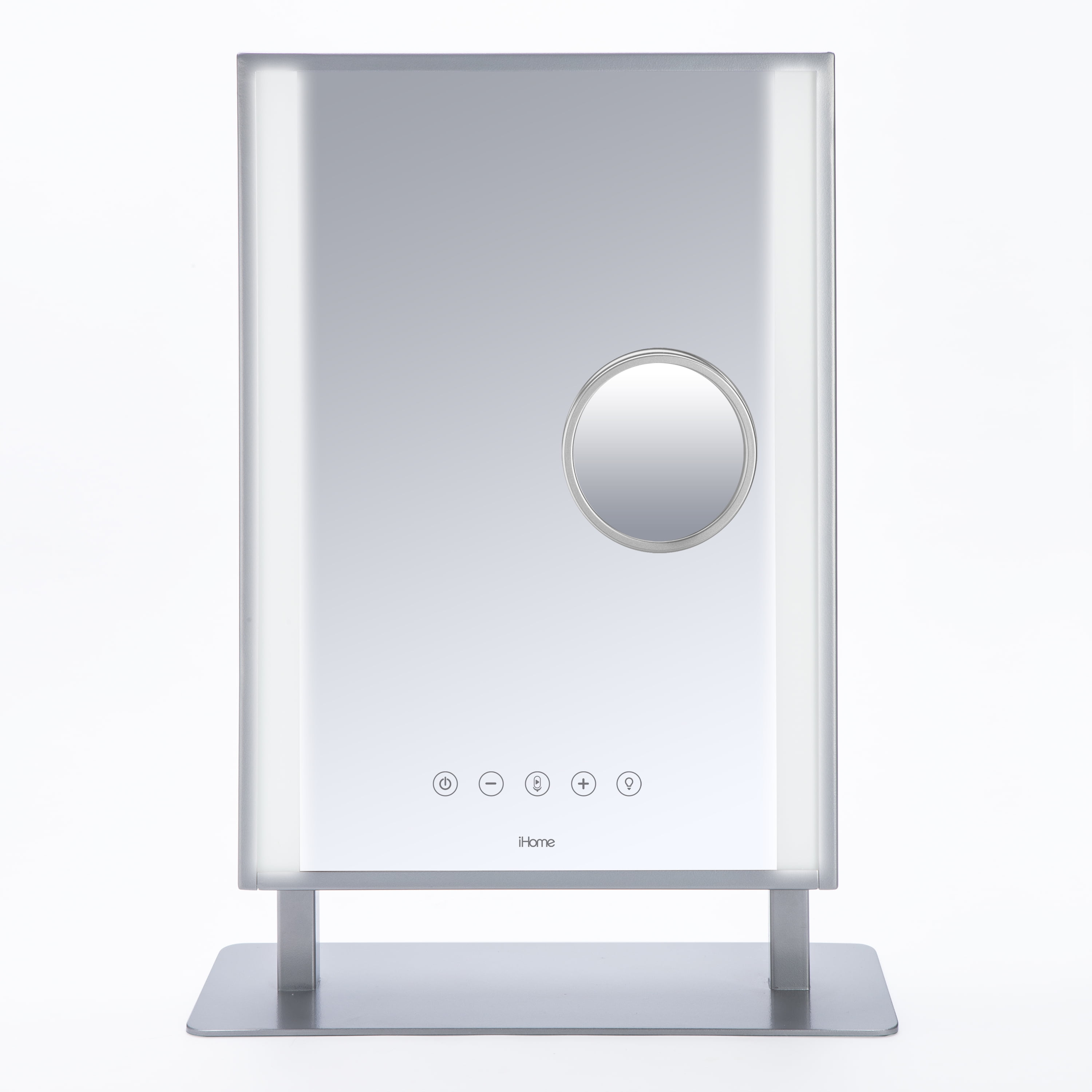
iHome Hollywood Pro Vanity Mirror
This model charges via USB through the AC adapter. It includes a 12W USB output port for charging phones. The output only works when the mirror is plugged in.
iHome REFLECT Bluetooth Vanity Mirror
This mirror operates and charges simultaneously via AC adapter. No battery runtime is published, suggesting it’s intended for mostly plugged-in use.
iHome ICVBT7SN (9″ Double-Sided)
This model has a 19.24Wh lithium-ion battery and charges via micro-USB cable. Estimated runtime is 2 to 5 hours depending on LED brightness and Bluetooth use. The status light blinks during charge and goes steady when full.
When to Contact iHome Support
iHome offers a 1-year limited warranty covering defects in materials and workmanship under normal use. Not covered are cracked mirrors, physical damage, water exposure, or unauthorized repairs.
How to Get Help
Contact iHome Customer Support at 1-800-288-2792, available Monday through Friday from 8:00 AM to 10:00 PM EST. Services include troubleshooting, damage assessment with photo submission, repair options, and discounted replacements. No replacement batteries or bulbs are sold to consumers. All repairs go through iHome.
Frequently Asked Questions About Charging iHome Mirrors
How do I know if my iHome mirror is charging
Most iHome mirrors have a blinking LED light that indicates charging is in progress. A steady light or extinguished indicator typically means the battery is fully charged.
Can I use my iHome mirror while it’s charging
Yes. iHome mirrors are designed to operate while charging. The device draws power from the adapter while simultaneously charging the internal battery, so you can use LED lights, Bluetooth speakers, and other features without waiting.
What type of USB cable does my iHome mirror need
It depends on your model. Older models like the ICVBT7SN use micro-USB, while newer models use USB-C. Check your product documentation or examine the port on your mirror to confirm.
Why won’t my iHome mirror hold a charge
This is usually caused by battery degradation, which is common after 12 to 18 months of use. Since the battery is not user-replaceable, you’ll need to contact iHome support for repair or replacement options.
Can I charge my phone from my iHome mirror
Some models like the Hollywood Pro include a 12W USB output port that can charge smartphones, tablets, or other devices. However, this only works when the mirror is plugged into power.
What should I do if my mirror won’t charge at all
Try a different USB cable and wall adapter first. Clean the charging port with compressed air to remove dust or debris. If it still won’t charge, contact iHome support at 1-800-288-2792.
Key Takeaways for Charging Your iHome Mirror
All iHome smart mirrors charge via USB using either micro-USB or USB-C cables. Blinking indicator lights are normal and indicate active charging. You can use the mirror while it’s charging without any issues. Some models include a 12W USB output port to charge your phone, but only when the mirror is plugged in.
Avoid overcharging by unplugging when fully charged, and clean the charging port monthly to prevent debris buildup. Use a standard 5V/1A or 5V/2.4A wall adapter rather than fast chargers. If charging problems persist after trying a new cable and adapter, contact iHome support at 1-800-288-2792 for assistance. With proper charging habits, your iHome mirror can provide reliable service for years.