
Tempered glass is a common feature in modern homes, offices, and electronics—found in everything from shower doors and windows to tabletops and PC case panels. While it’s stronger and safer than regular glass, knowing how to clean tempered glass properly is essential to preserve its clarity, prevent scratches, and avoid accidental damage. Using the wrong tools or cleaners can leave streaks, etch the surface, or even compromise surrounding materials like metal frames or electronic components.
Many people assume all glass is the same and reach for paper towels or ammonia-based sprays without realizing the risks. But tempered glass, especially when coated or part of a sensitive setup like a gaming PC, demands a more thoughtful approach. In this guide, you’ll learn the correct tools, safe cleaning solutions, and step-by-step methods to keep your tempered glass spotless—without causing harm. Whether you’re cleaning a patio door or a dual-pane PC case, these proven techniques will deliver streak-free results every time.
Identify Your Glass Type First

Before cleaning, confirm you’re dealing with tempered glass, not acrylic or standard glass. Using aggressive methods on the wrong material can lead to irreversible damage.
Check for Manufacturer’s Mark
Look in the corners for a small etched logo or stamp. This mark often includes certifications from the CPSC or ANSI, confirming the glass has been thermally treated for strength.
Inspect the Edges
Tempered glass edges are smooth and rounded due to the heating and cooling process. Untreated glass typically has sharper, more jagged edges.
Test Weight and Scratch Resistance
Tempered glass feels heavier than acrylic and resists minor scratches better than standard glass. If the surface flexes easily or feels lightweight, it may be acrylic, which requires even greater care.
Use the Right Cleaning Tools

Your choice of tools can make the difference between a crystal-clear finish and a scratched, hazy surface. Always use soft, non-abrasive materials designed for delicate surfaces.
Microfiber Cloths Are Essential
Use waffle weave microfiber towels for best results. They trap dust and grime instead of pushing it around. Keep two on hand: one damp for cleaning, one dry for buffing.
Squeegees for Large Surfaces
For windows or glass walls, a rubber-bladed squeegee ensures fast, streak-free drying. Wipe the blade after each pass to prevent redepositing dirt.
Cotton Swabs for Tight Spaces
Dust accumulates in corners and along seals. A cotton swab dipped in cleaner lets you reach these areas without risking damage to the main surface.
Avoid Paper Towels and Harsh Scrubbers
Paper products contain wood fibers that scratch glass over time. Never use steel wool, scouring pads, or dirty rags, as they act like sandpaper.
Choose Safe Cleaning Solutions
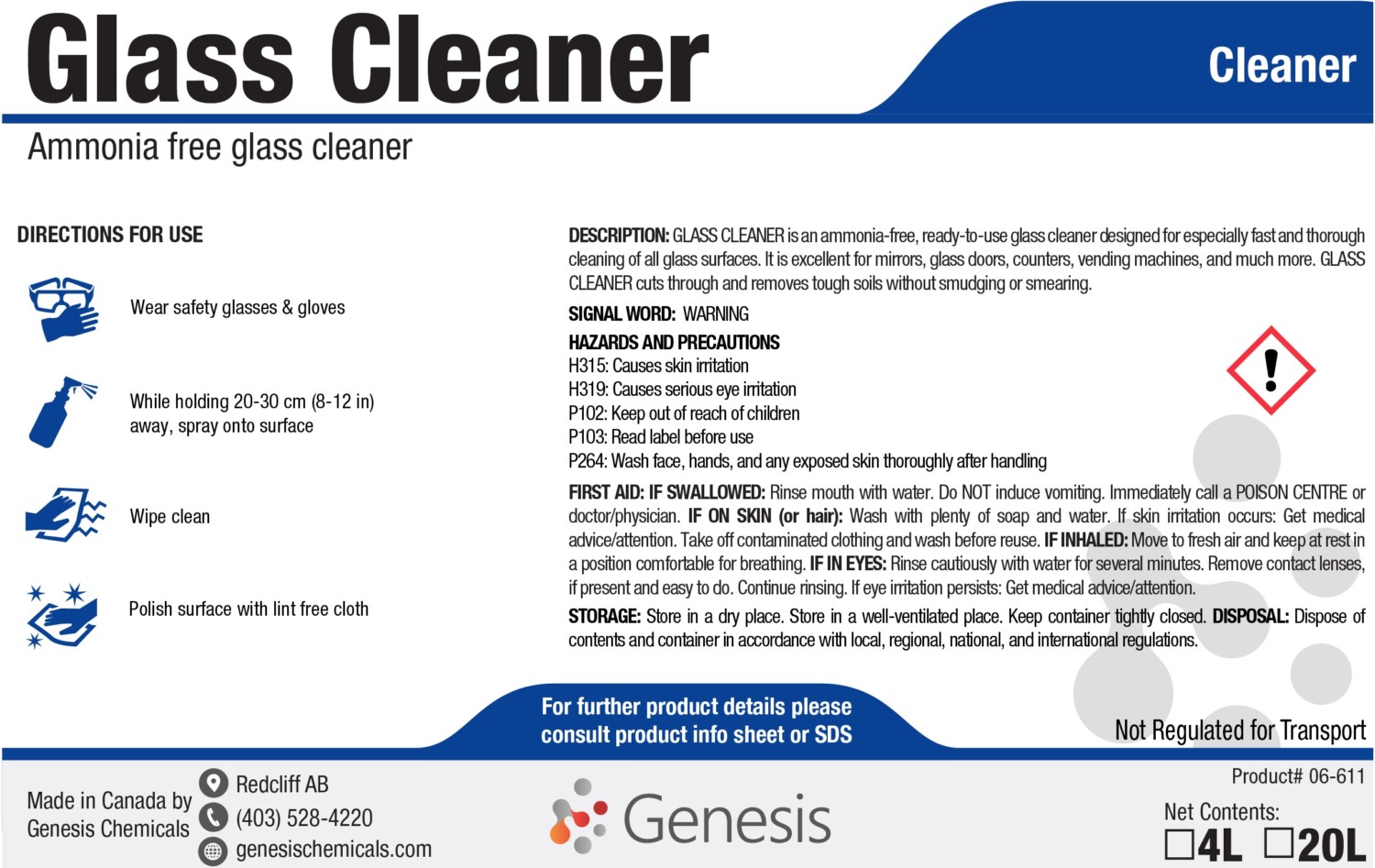
The right cleaner removes fingerprints and grime without harming coatings or nearby materials. Always prioritize pH-neutral, non-corrosive formulas.
Mild Soap and Water Works Best
Mix a few drops of dish soap with warm water. This gentle solution handles most dirt and is safe for all tempered glass applications.
Isopropyl Alcohol for Grease
Use 70% or higher isopropyl alcohol on a cloth (not sprayed directly) to remove stubborn fingerprints or oily residue. This works well for electronics and high-touch areas.
Ammonia-Free Glass Cleaners Only
Choose commercial sprays labeled “ammonia-free,” such as Invisible Glass. Ammonia can degrade anti-reflective coatings and damage rubber seals over time.
White Vinegar – With Caution
A 1:1 mix of white vinegar and water dissolves mineral deposits. Avoid if metal parts are present, as the acid can corrode aluminum or steel frames.
Distilled Water Prevents Spots
Use distilled water for rinsing or final wiping, especially in hard water areas. It prevents mineral buildup that causes cloudy water spots.
Follow a Step-by-Step Cleaning Process
A structured routine ensures safety, efficiency, and professional-quality results every time.
Prepare the Area and Tools
Power down electronics and unplug devices if cleaning PC cases. Ensure the glass is cool, and never clean sun-heated windows. Gather clean microfiber cloths, your chosen cleaner, and tools.
Remove Loose Dust First
Use a dry microfiber cloth, anti-static brush, or compressed air to blow away dust. Skipping this step risks grinding particles into the surface during wiping.
Apply Cleaner Correctly
Spray the solution onto the cloth, not the glass, especially near seams or electronics. For large windows, light misting on the glass is acceptable, but avoid overspray.
Wipe in Straight, Overlapping Strokes
Use top-to-bottom or left-to-right motions for consistency. Circular wiping may leave swirls on large panels. Apply gentle pressure; no scrubbing needed.
Tackle Stubborn Spots Gently
Reapply a small amount of alcohol to a corner of the cloth and rub the affected area lightly. Don’t press hard; let the solvent do the work.
Rinse and Dry Immediately
If using soap, rinse with distilled water. Then dry with a second clean microfiber cloth or use a squeegee. Buff lightly to eliminate streaks.
Inspect Under Good Lighting
Check the surface from multiple angles. If streaks remain, re-wipe with a fresh, dry cloth. Clean the frame and edges for a polished appearance.
Special Care for PC Case Glass Panels
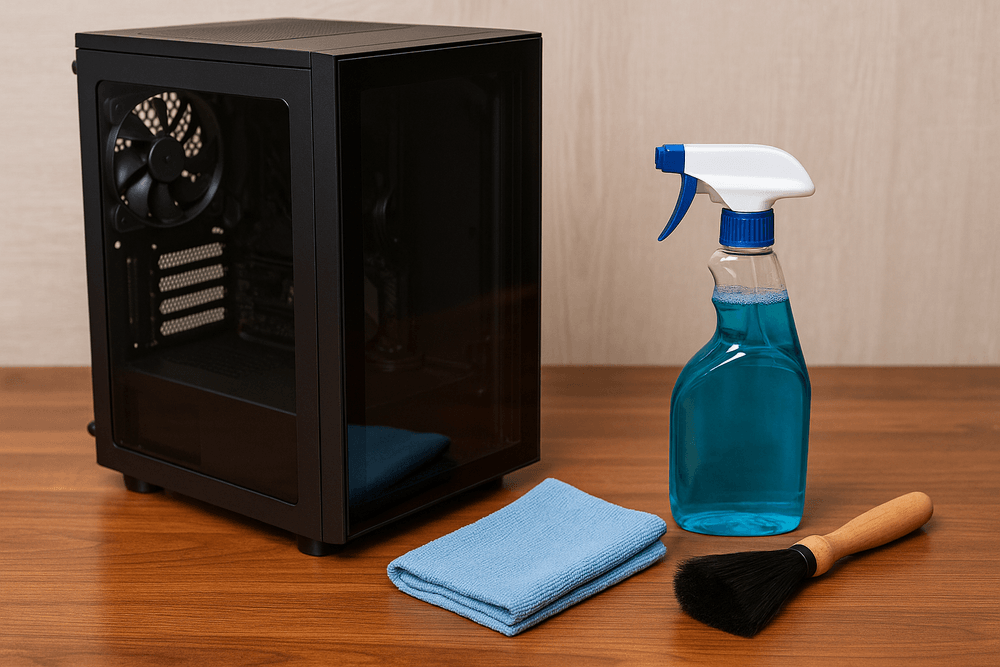
Tempered glass side panels on computer cases require extra caution due to proximity to sensitive internal components and static buildup.
Never Spray Directly on Mounted Panels
Moisture can seep into the case and damage motherboards or wiring. Always apply cleaner to the cloth first.
Remove the Panel for Deep Cleaning
If heavy grime has built up, remove the glass carefully. Never place it face-down; lean it upright against a soft surface.
Reduce Static With Proper Rinsing
Add a drop of fabric softener to distilled water for a final wipe. This creates a slight anti-static layer that repels dust.
Wipe in One Direction
Vertical or horizontal strokes maintain optical clarity and make streaks easier to spot than random circular patterns.
Clean Every 3 to 6 Months
Regular maintenance prevents buildup. Dust weekly with a dry microfiber cloth to extend deep cleaning intervals.
Prevent Damage With Smart Habits
Long-term care keeps tempered glass looking new and functioning safely. Simple daily practices prevent avoidable issues.
Avoid Sudden Temperature Changes
Don’t wash hot glass with cold water. Thermal shock can cause spontaneous breakage. Wait for windows or stovetops to cool before cleaning.
Store Panels Upright and Protected
If removing glass for storage, keep it vertical and padded. Never stack or lay flat on hard surfaces.
Wash Microfiber Cloths Properly
Launder them regularly in warm water without fabric softener, which clogs fibers. Replace cloths that are frayed or gritty.
Dust Frequently
Daily or weekly dry dusting with a clean microfiber cloth prevents abrasive particles from accumulating and scratching during wet cleaning.
Troubleshoot Common Cleaning Problems

Even with care, issues like streaks or water spots can occur. Here’s how to fix them quickly.
Fix Streaks From Cleaning
Streaks usually come from dirty cloths, too much product, or cleaning in direct sunlight. Re-wipe with a clean, dry microfiber cloth.
Remove Water Spots
Hard water leaves mineral deposits. Use a vinegar solution (if no metal is nearby) or a distilled water rinse to dissolve spots.
Eliminate Grease Buildup
Fingerprints and oils resist soap. Dampen a cloth with isopropyl alcohol and gently rub the area until clear.
Stop Lint and Residue
Low-quality cloths leave behind fibers or waxy residue. Switch to high-grade waffle weave microfiber and wash them correctly.
Frequently Asked Questions About Tempered Glass Cleaning
Can I use Windex on tempered glass?
Only if the formula is ammonia-free. Standard Windex contains ammonia, which can damage anti-reflective coatings and rubber seals over time. Look for bottles specifically labeled “ammonia-free.”
How do I remove hard water stains from tempered glass?
Use a 1:1 mixture of white vinegar and distilled water, or simply rinse with distilled water as a final step. Avoid vinegar if metal frames are nearby, as the acid can cause corrosion.
Is it safe to clean tempered glass with alcohol?
Yes, isopropyl alcohol at 70% concentration or higher is safe for removing fingerprints and grease. Always apply it to the cloth first, never spray directly onto the glass.
Why does my tempered glass streak no matter what I do?
Streaks are usually caused by dirty cloths, excess product, or cleaning in direct sunlight. Switch to a clean waffle weave microfiber towel, use less solution, and work in shaded conditions.
Can tempered glass break from cleaning?
Yes, if you expose hot glass to cold water, thermal shock can cause spontaneous breakage. Always let the glass cool to room temperature before applying any liquid.
How often should I clean my PC case glass panel?
Wipe it down every 3 to 6 months for a deep clean, and dust it weekly with a dry microfiber cloth to prevent buildup between cleanings.
Key Takeaways for Cleaning Tempered Glass the Right Way
Cleaning tempered glass doesn’t require special skills, just the right tools and techniques. Start by confirming your glass type, then stick to waffle weave microfiber cloths and pH-neutral cleaners like mild soap or ammonia-free sprays. Always dust before you wipe, work in straight strokes, and dry immediately to prevent streaks and water spots.
For PC case panels, extra caution is essential. Never spray directly onto mounted glass, and use distilled water with a drop of fabric softener to reduce static. By following these habits consistently, you’ll preserve the strength, clarity, and beauty of your tempered glass for years. Pick up your microfiber cloth and inspect your glass today; a quick dry dusting is the easiest way to start.